Lists
A List is a content node holding ListItem item labels like numbers, letters, or roman numerals. They are generated and renumbered automatically during pagination.
Simple list
AddList creates a list and AddItem appends an item. A ListItem is a content container in its own right, so its content is added as paragraphs.
List list = doc.AddList();
list.SetNumberFormat(List.NumberFormat.e_decimal, ".", true);
list.AddItem().AddParagraph("Create a FlowDocument.");
list.AddItem().AddParagraph("Append content to it.");
list.AddItem().AddParagraph("Paginate it into a PDF.");List list = doc.AddList();
list.SetNumberFormat(List::e_decimal, ".", true);
list.AddItem().AddParagraph("Create a FlowDocument.");
list.AddItem().AddParagraph("Append content to it.");
list.AddItem().AddParagraph("Paginate it into a PDF.");list := doc.AddList()
list.SetNumberFormat(ListE_decimal, ".", true)
list.AddItem().AddParagraph("Create a FlowDocument.")
list.AddItem().AddParagraph("Append content to it.")
list.AddItem().AddParagraph("Paginate it into a PDF.")List list = doc.addList();
list.setNumberFormat(List.ListItemNumberFormat.e_decimal, ".", true);
list.addItem().addParagraph("Create a FlowDocument.");
list.addItem().addParagraph("Append content to it.");
list.addItem().addParagraph("Paginate it into a PDF.");
Number formats
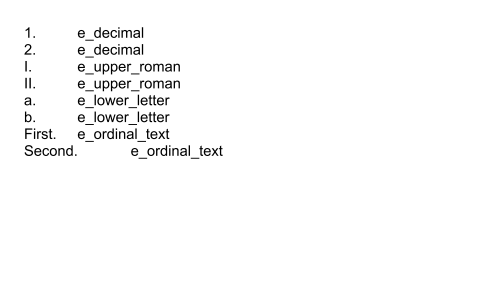
SetNumberFormat selects the label style. The three-argument overload also sets the suffix printed after the label and whether the format cascades to nested lists.

Number formatting options include:
e_none
(no label - an unordered list)
e_decimal
1, 2, 3
e_decimal_zero
01, 02, 03
e_lower_roman
i, ii, iii
e_upper_roman
I, II, III
e_lower_letter
a, b, c
e_upper_letter
A, B, C
e_ordinal
1st, 2nd, 3rd
e_ordinal_text
First, Second, Third
e_cardinal_text
One, Two, Three
e_chinese_counting
Chinese counting numerals
e_chinese_counting_thousand
Chinese counting numerals, thousands
Use SetStartIndex to begin numbering somewhere other than 1.
Nest lists
A ListItem can contain a nested List through its own AddList. Nested lists are indented automatically and can use their own number format.

Style labels
GetLabelStyle returns a TextStyledElement that applies to the generated labels only, leaving item text untouched. This is how you make numbers bold or colored without affecting the content. Item text is styled as usual, through the paragraph inside the item.
Continue a list
Adding non-list content between items normally ends the list, so a following AddItem starts fresh numbering. ContinueList marks the list as the logical continuation of the earlier one, so numbering carries on across the interruption.
Further Reading
Paragraphs and text for styling the text inside list items.
Tables for tabular rather than sequential content.
Last updated
Was this helpful?