Product:
Get started
Samples
Basic operations
Learn More
Viewer
UI customization
Annotation
Collaboration
MS Office
Conversion
PDF/A
Forms
Generate
Edit page content
Extraction
Digital signature
Search
Bookmarks
Compare files
Optimization
Layers (OCGs)
Measurement
Print
Redaction
Security
Portfolios
Low-level PDF API
Changelogs
Page label editor
You can choose to edit page labels programmatically or with a graphical UI.
Edit PDF page labels in Xamarin.Android
This tutorial only applies to Xamarin.Android.
The PageLabelDialogFragment allows you to add or modify the page labels in a PDF document. Page labels are typically used to describe a page, such as allowing for non-sequential page numbering (such as the inclusion of Roman numerals at the beginning of a book) or the addition of arbitrary labels.
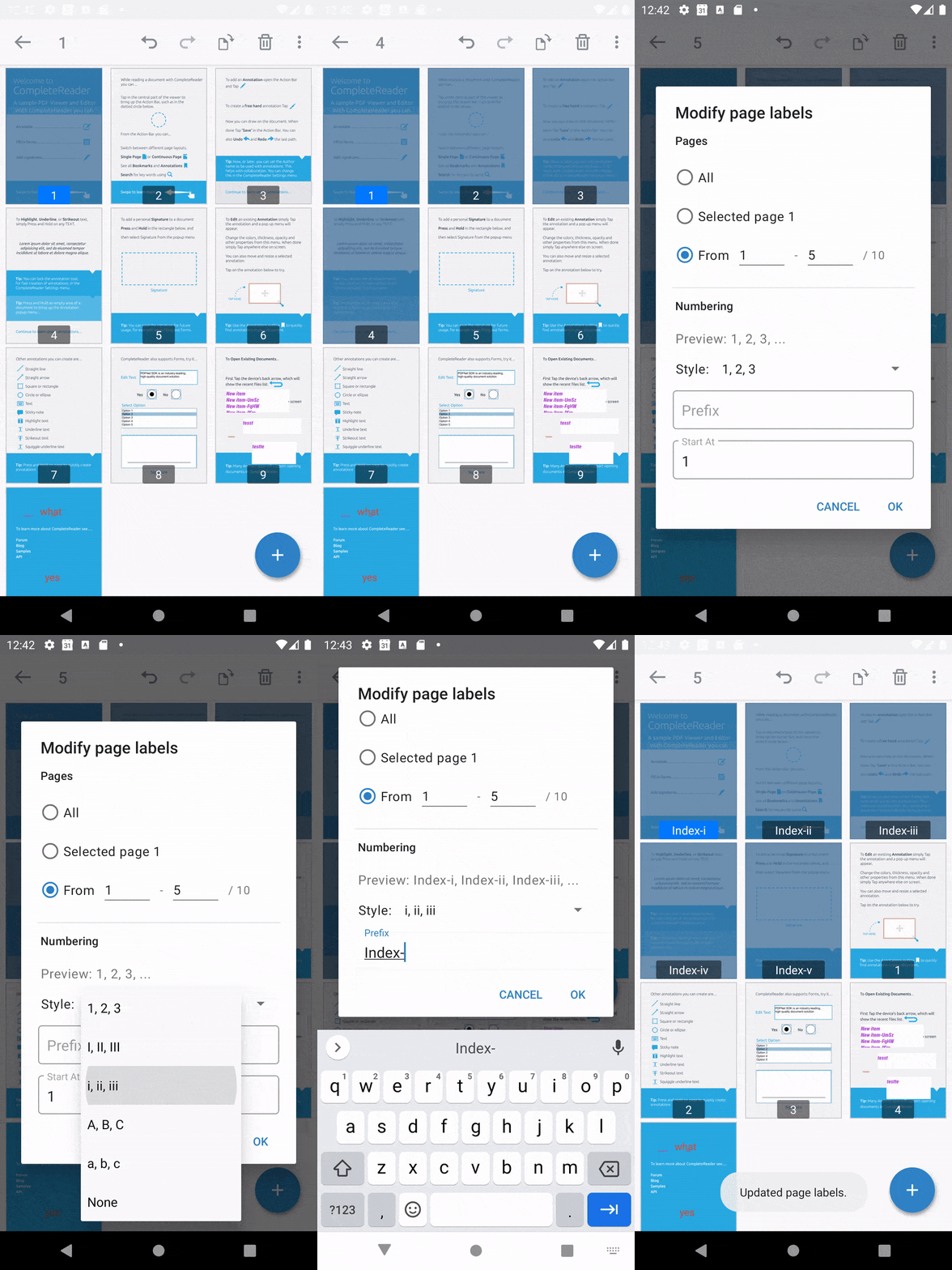
Show the page label editor
The page label editor can be shown from an activity by calling the following method:
C#
In order to recieve the inputs from the page label editor, you will also need to subscribe to completion events from the page label dialog:
C#
Did you find this helpful?
Trial setup questions?
Ask experts on DiscordNeed other help?
Contact SupportPricing or product questions?
Contact Sales